erwin Data Intelligence (erwin DI) version 15.2, has the following new features and enhancements:
erwinAI Assistant
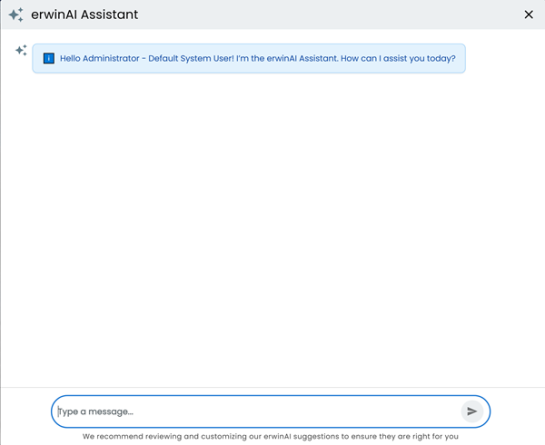
erwinAI Assistant introduces enhanced capabilities to help you generate and moderate attributes for business assets, including definitions, descriptions, notes, tags, and SDI classifications. You can enter a prompt, review the results, and accept or moderate them to ensure accuracy and consistency.
This release builds on earlier functionality with expanded capacity, improved automation, and a workflow that includes your review for precision. You can access erwinAI Assistant in the Business Glossary Manager, Discover Assets, Metadata Manager, and Data Marketplace modules.
For more information, refer to the Using erwinAI Assistant topic.
erwinAI Inline Assist
erwinAI Inline Assist integrates generative AI into Business Glossary Manager, Metadata Manager, and Data Marketplace for fast inline enrichment of asset details. It reduces manual effort and improve accuracy, completeness, and overall data value. It generates content for fields, such as Definition, Description, Notes, Logical Name, Comments, SDI Classification, and Tags across business assets, marketplace assets, tables and columns.
erwinAI Smart Query Assist
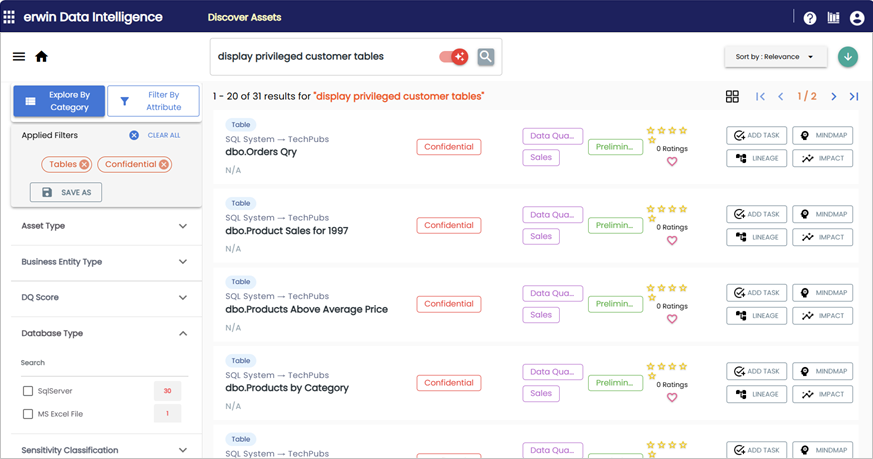
erwinAI Smart Query Assist introduces a simpler and conversational way of searching and filtering assets in the Discover Assets module. It enables you to use natural language to search assets making the process faster and intuitive.
With erwinAI Smart Query Assist, instead of searching for a keyword and applying multiple filters manually, you can interact conversationally to find what you need.
For more information, refer to the Searching and Filtering topic.
Productivity and UI Enhancements
The following enhancements have been implemented to improve productivity and enhance the usage experience in erwin DI:
Support for Mapping Views
erwin DI now supports mapping View assets to corresponding Views in erwin Data Quality. Previously, asset mapping included Environments to Catalogs, Tables to Datasets, and Columns to Attributes. This enhancement extends support to Views, ensuring comprehensive coverage of data assets and improving lineage, governance, and quality checks.
For more information, refer to the Data Quality topic.
Enhanced Connection Identification
erwin DI now generates unique connection names in erwin Data Quality using the format SystemName_EnvironmentName to prevent conflicts and ensure reliable data profiling.